Showing posts with label Finding Your Photo Style. Show all posts

Thursday, June 13, 2013

Finding My Photo Style- Week 3


This week in "Finding Your Photo Style" our instructor was Tracey Clark.  Tracey enjoys exploring and photographing light.  So that's what our first assignment was.

I really wanted to work with some natural light, but it has been cloudy and rainy here, with few exceptions, over the past week.  On Monday it was finally clear and the kids were playing in the backyard.  I decided to bring my youngest out on a blanket and get some shots.  I chose this shot for the light assignment because I love how the light is hitting his face and the blanket.  We are facing slightly away from the sun, but he still has some "catchlights" in his eyes.  By the way, we are under a tree in some "open shade" making for the lovely soft lighting.

Next, our assignment was to focus on composition.  I tend to really focus on the rule of thirds when I am composing my shots.  As you can see in this shot, if you divided the shot into thirds, his eyes are where the top line and left line intersect.

Finally, our last assignment for the week was to play with post processing, finding the effect that we liked best on a shot.  I have several actions I have downloaded for Photoshop Elements.  I found I liked this effect best.  It made the shot warmer and brighter.  I'm definitely a minimalist when it comes to post processing, and this is another example.

Wednesday, June 5, 2013

Finding My Photo Style- Week 2

This week our instructor for "Finding Your Photo Style" is Elizabeth Dillow.  I would describe Elizabeth's style as journalistic.  Her lessons this week focused on telling the story.

The first assignment was to focus on taking photos of an event that showed the 3 C's: Context, Characters and Close Ups.  On Monday we planted some flowers, and here are the photos I took, from left to right; close ups, context, and characters.


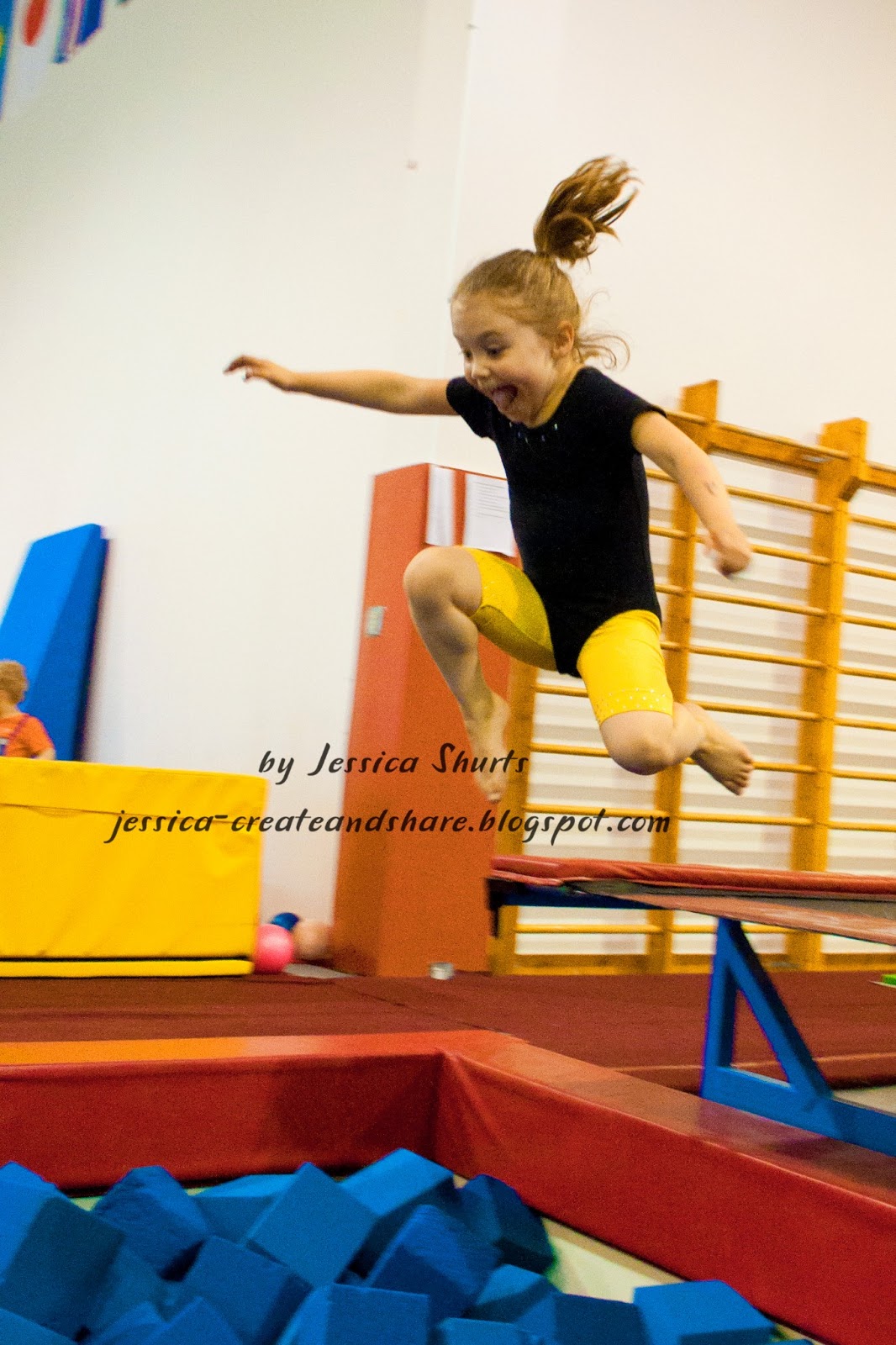
Our second assignment was to work on "knowing when to click".  Last Friday we went to a local gym and the kids had a blast running down the long trampoline and jumping into the foam pit.  I love the look of glee on her face:


Our last assignment was to evaluate our photo editing style.  Elizabeth tends to do very minimal edits, as do I.  I generally do a white balance check, adjust the exposure, sharpen it a bit and up the vibrance.  Here is a comparison of the straight out of camera shot (left) and the same shot after my basic edits.  The only thing further that I would maybe do is to lighted the shadows a bit so his hands are so dark.


That's all for this week, we meet a new instructor and get new assignments tomorrow!

Wednesday, May 29, 2013

Finding My Photo Style

I am currently taking a class at Big Picture Classes called "Finding Your Photo Style."  Over the course of  6 weeks we will have 6 different instructors with 6 different photography styles.  For week 1 our instructor is Maggie Holmes.  Maggie has a very bright and colorful style.  She gave us 3 assignments.  All of my photos ended up coming from one evening playing in the backyard, making smores.

The first assignment was to use color in our photography.  The color could come from the surroundings, clothing or props. I love bright colors, so this assignment was fun!  I ended up selecting this photo because I loved the bit of lush green grass (I love the color of the grass this time of year) and the pinks in Ellie's dress.

Our second assignment was to take photos in open shade.  Finding areas of open shade is important when it is sunny out because direct sun can cause dark shadows, whereas open shade diffuses the light making a much softer, natural appearance.  It has been cloudy out since this class started, which means everywhere is open shade.  That made this assignment a piece of cake!  I ended up selecting this cute photo of the kids.  It is a good thing I was just playing around, this was as good as it got!


Our last assignment was to work on adding vibrancy in post processing.  Maggie gave us a free Photoshop action to play with and that is what I used on the photo below.  The version on the right is what I had after I had tweaked the shot in the Raw Photo Editor.   The one on the right is with the action applied.  I adjusted the opacity of the layers because it was a little too much at full strength.  I really like how it made the pink and blue pop!
Tomorrow we will be introduced to our next instructor, I am really looking forward to it!